 5ca29fd461
* yee old sdks (and CI cache too since it's pretty useless)

* also bump deps

* Update src/Discord.Net.Interactions/Discord.Net.Interactions.csproj

Co-authored-by: d4n <dan3436@hotmail.com>

* Update src/Discord.Net.Core/Discord.Net.Core.csproj

Co-authored-by: d4n <dan3436@hotmail.com>

* `.ForEachAsync` => `await foreach`

* remove old targets from .nuspec & update docs

* bump sdk in ws4net provider (probably should deprecate it tho)

---------

Co-authored-by: d4n <dan3436@hotmail.com>
4.4 KiB
uid, title
| uid | title |
|---|---|
| Guides.GettingStarted.Installation | Installing Discord.Net |
Discord.Net Installation
Discord.Net is distributed through the NuGet package manager; the most recommended way for you to install this library. Alternatively, you may also compile this library yourself should you so desire.
Supported Platforms
Discord.Net targets .NET 8.0 and .NET 9.0.
Warning
Using this library with [Mono] is not supported until further notice. It is known to have issues with the library's WebSockets implementation and may crash the application upon startup.
Installing
Release builds of Discord.Net will be published to the official NuGet feed.
Experimental/Development
Development builds of Discord.Net will be published to our MyGet feed. The MyGet feed can be used to run the latest dev branch builds. It is not advised to use MyGet packages in a production environment, as changes may be made that negatively affect certain library functions.
Labs
This exterior branch of Discord.Net has been deprecated and is no longer supported. If you have used Discord.Net-Labs in the past, you are advised to update to the latest version of Discord.Net. All features in Labs are implemented in the main repository.
Using Visual Studio
-
Create a new solution for your bot
-
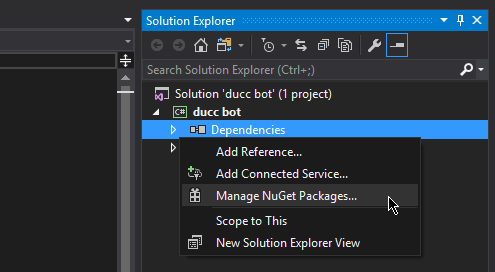
In the Solution Explorer, find the "Dependencies" element under your bot's project
-
Right click on "Dependencies", and select "Manage NuGet packages"
-
In the "Browse" tab, search for
Discord.Net -
Install the
Discord.Netpackage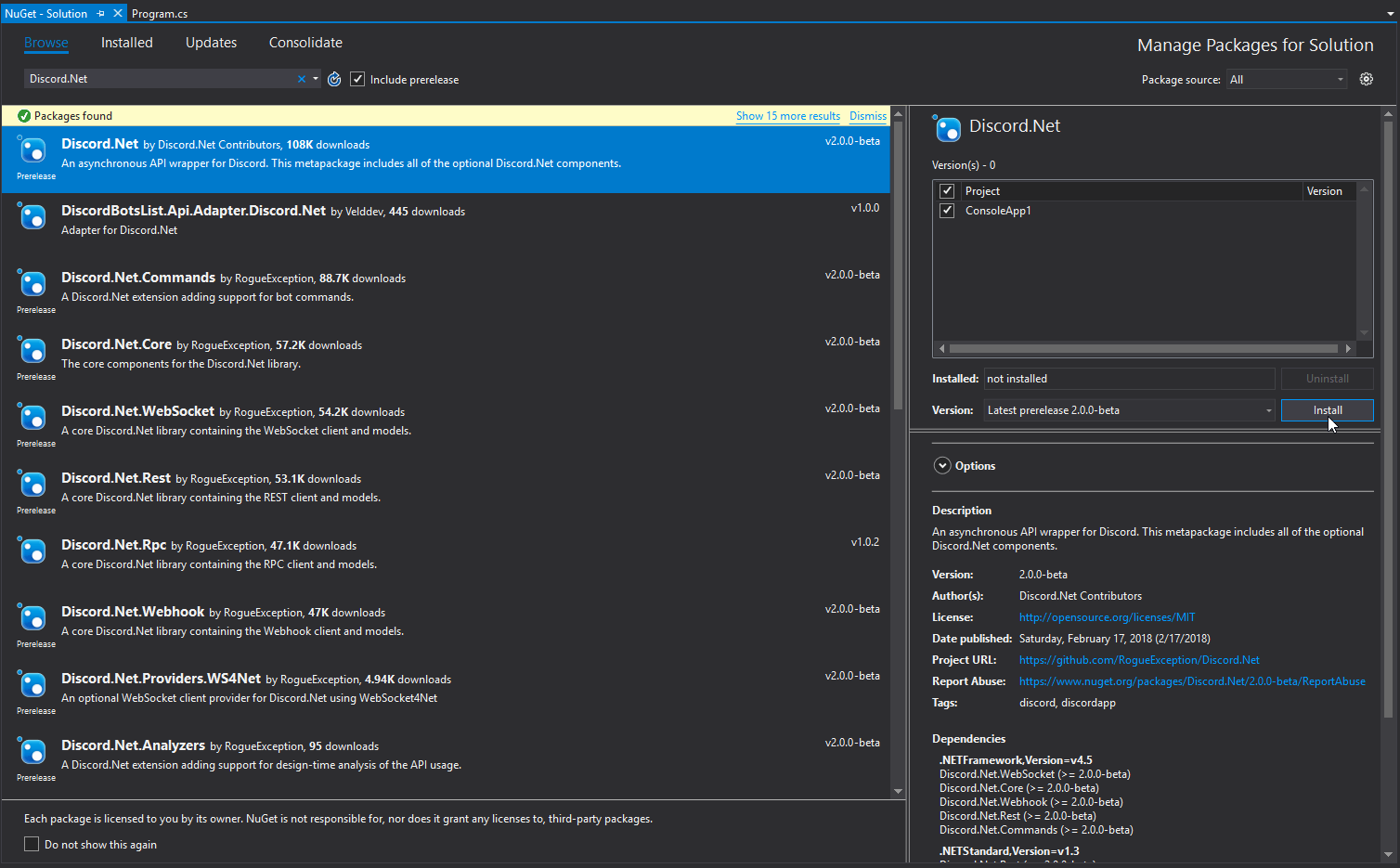


Using JetBrains Rider
-
Create a new solution for your bot
-
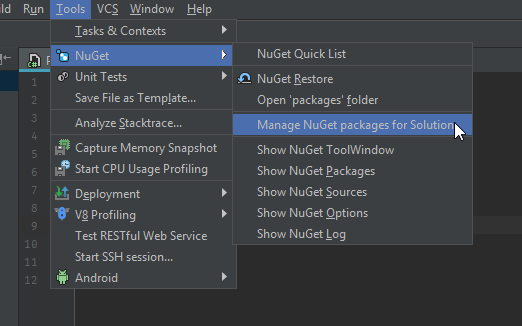
Open the NuGet window (Tools > NuGet > Manage NuGet packages for Solution)
-
In the "Packages" tab, search for
Discord.Net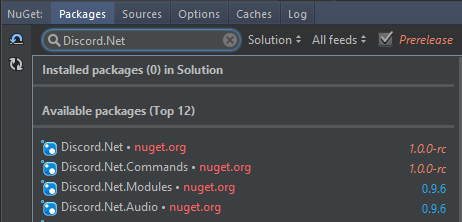
-
Install by adding the package to your project


Using Visual Studio Code
- Create a new project for your bot
- Add
Discord.Netto your*.csproj
[!codeSample .csproj]
Using dotnet CLI
- Launch a terminal of your choice
- Navigate to where your
*.csprojis located - Enter
dotnet add package Discord.Net
Compiling from Source
In order to compile Discord.Net, you will need the following:
Using Visual Studio
- Visual Studio 2022 or later.
- .NET 9 SDK
The .NET 8 workload is required during Visual Studio installation.
Using Command Line
Additional Information
Installing on Unsupported WebSocket Platform
When running any Discord.Net-powered bot on an older operating system (e.g. Windows 7) that does not natively support WebSocket, you may encounter a @System.PlatformNotSupportedException upon connecting.
You may resolve this by either targeting .NET Core 2.1 or higher, or by installing one or more custom packages as listed below.
Targeting .NET Core 2.1
- Download the latest [.NET Core SDK].
- Create or move your existing project to use .NET Core.
- Modify your
<TargetFramework>tag to at leastnetcoreapp2.1, or by adding the--framework netcoreapp2.1switch when building.
Custom Packages
-
Install or compile the following packages:
Discord.Net.Providers.WS4NetDiscord.Net.Providers.UDPClient(Optional)- This is only required if your bot will be utilizing voice chat.
-
Configure your DiscordSocketClient to use these custom providers over the default ones.
* To do this, set the `WebSocketProvider` and the optional
`UdpSocketProvider` properties on the [DiscordSocketConfig] that you
are passing into your client.
[!code-csharpExample]