
4.0 KiB
title
| title |
|---|
| Installing Discord.Net |
Discord.Net is distributed through the NuGet package manager, and it is recommended to use NuGet to get started.
Optionally, you may compile from source and install yourself.
Supported Platforms
Currently, Discord.Net targets .NET Standard 1.3, and offers support for .NET Standard 1.1. If your application will be targeting .NET Standard 1.1, please see the additional steps.
Since Discord.Net is built on the .NET Standard, it is also recommended to
create applications using .NET Core, though you are not required to. When
using .NET Framework, it is suggested to target .NET 4.6.1 or higher.
Installing with NuGet
Release builds of Discord.Net 1.0 will be published to the official NuGet feed.
Development builds of Discord.Net 1.0, as well as addons are published to our development MyGet feed.
Direct feed link: https://www.myget.org/F/discord-net/api/v3/index.json
Not sure how to add a direct feed? See how with Visual Studio or without Visual Studio
Using Visual Studio
- Create a solution for your bot
- In Solution Explorer, find the 'Dependencies' element under your bot's project
- Right click on 'Dependencies', and select 'Manage NuGet packages'

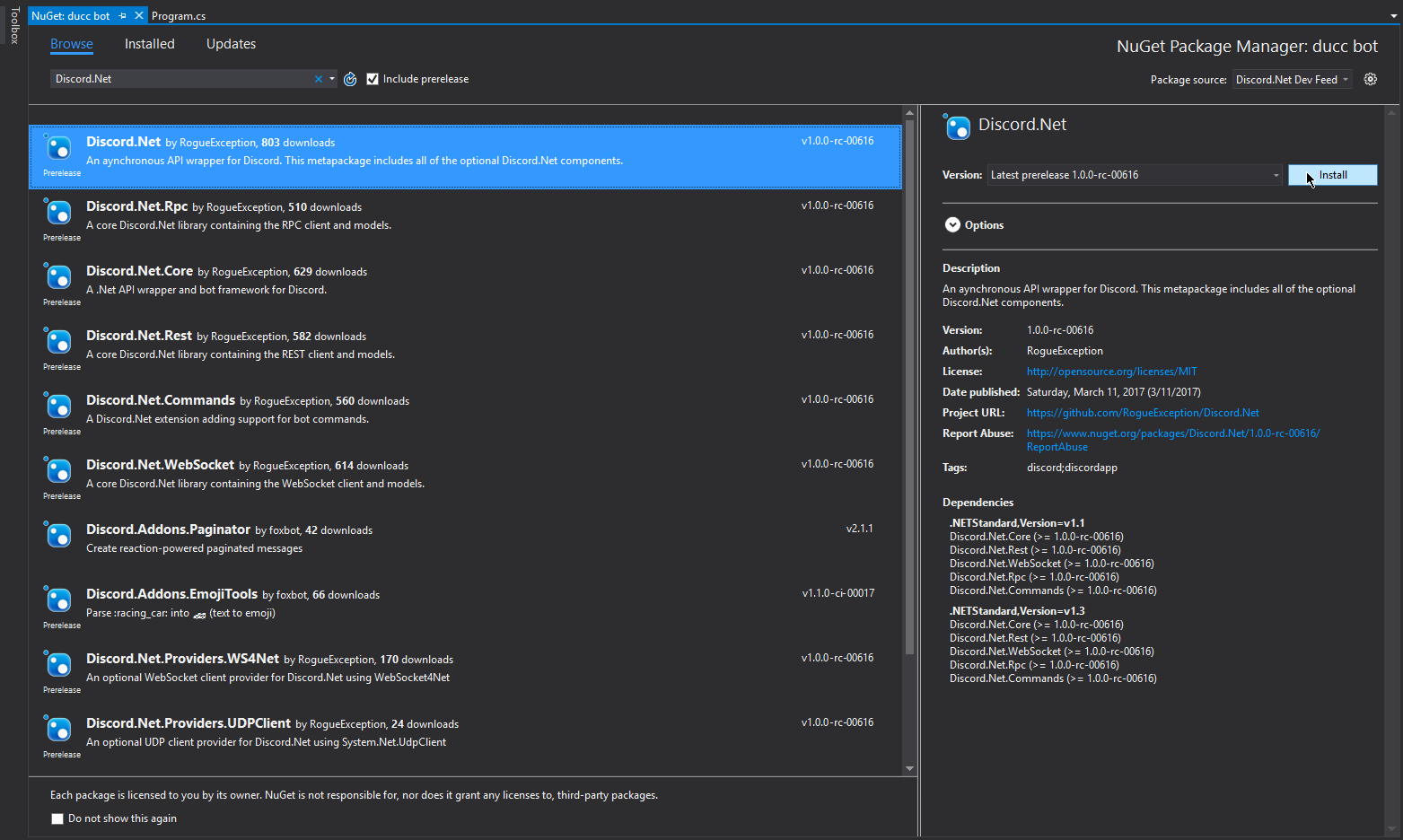
- In the 'browse' tab, search for 'Discord.Net'

Tip
Don't forget to change your package source if you're installing from the developer feed. Also make sure to check 'Enable Prereleases' if installing a dev build!
- Install the 'Discord.Net' package

Using JetBrains Rider
todo
Using Visual Studio Code
todo
Compiling from Source
In order to compile Discord.Net, you require the following:
Using Visual Studio
The .NET Core and Docker (Preview) workload is required during Visual Studio installation.
Using Command Line
Additional Information
Installing on .NET Standard 1.1
For applications targeting a runtime corresponding with .NET Standard 1.1 or 1.2, the builtin WebSocket and UDP provider will not work. For applications which utilize a WebSocket connection to Discord (WebSocket or RPC), third-party provider packages will need to be installed and configured.
First, install the following packages through NuGet, or compile yourself, if you prefer:
- Discord.Net.Providers.WS4Net
- Discord.Net.Providers.UDPClient
Note that Discord.Net.Providers.UDPClient is only required if your bot will
be utilizing voice chat.
Next, you will need to configure your DiscordSocketClient to use these custom providers over the default ones.
To do this, set the WebSocketProvider and optionally UdpSocketProvider
properties on the DiscordSocketConfig that you are passing into your
client.
[!code-csharpNET Standard 1.1 Example]
Configuring NuGet without Visual Studio
If you plan on deploying your bot or developing outside of Visual Studio, you will need to create a local NuGet configuration file for your project.
To do this, create a file named nuget.config alongside the root of your
application, where the project solution is located.
Paste the following snippets into this configuration file, adding any additional feeds as necessary.
[!code-xmlNuGet Configuration]