A self-hosted, real-time collaborative travel planner with interactive maps, budgets, packing lists, and more.
Live Demo — Try TREK without installing. Resets hourly.

More Screenshots
| | |
|---|---|
|  |  |
|  |  |
|  | |
## Features
### Trip Planning
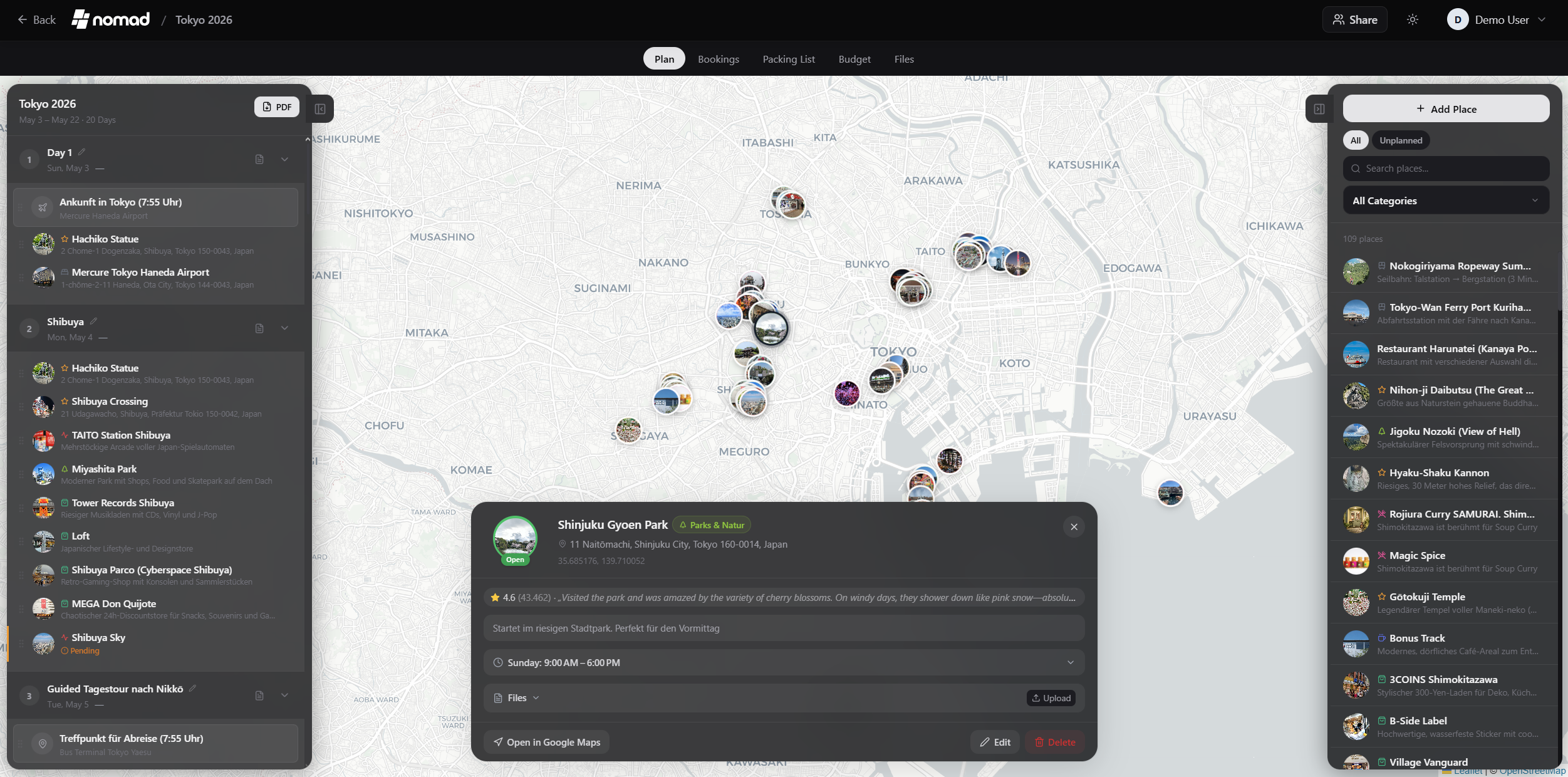
- **Drag & Drop Planner** — Organize places into day plans with reordering and cross-day moves
- **Interactive Map** — Leaflet map with photo markers, clustering, route visualization, and customizable tile sources
- **Place Search** — Search via Google Places (with photos, ratings, opening hours) or OpenStreetMap (free, no API key needed)
- **Day Notes** — Add timestamped, icon-tagged notes to individual days with drag & drop reordering
- **Route Optimization** — Auto-optimize place order and export to Google Maps
- **Weather Forecasts** — 16-day forecasts via Open-Meteo (no API key needed) with historical climate averages as fallback
- **Map Category Filter** — Filter places by category and see only matching pins on the map
### Travel Management
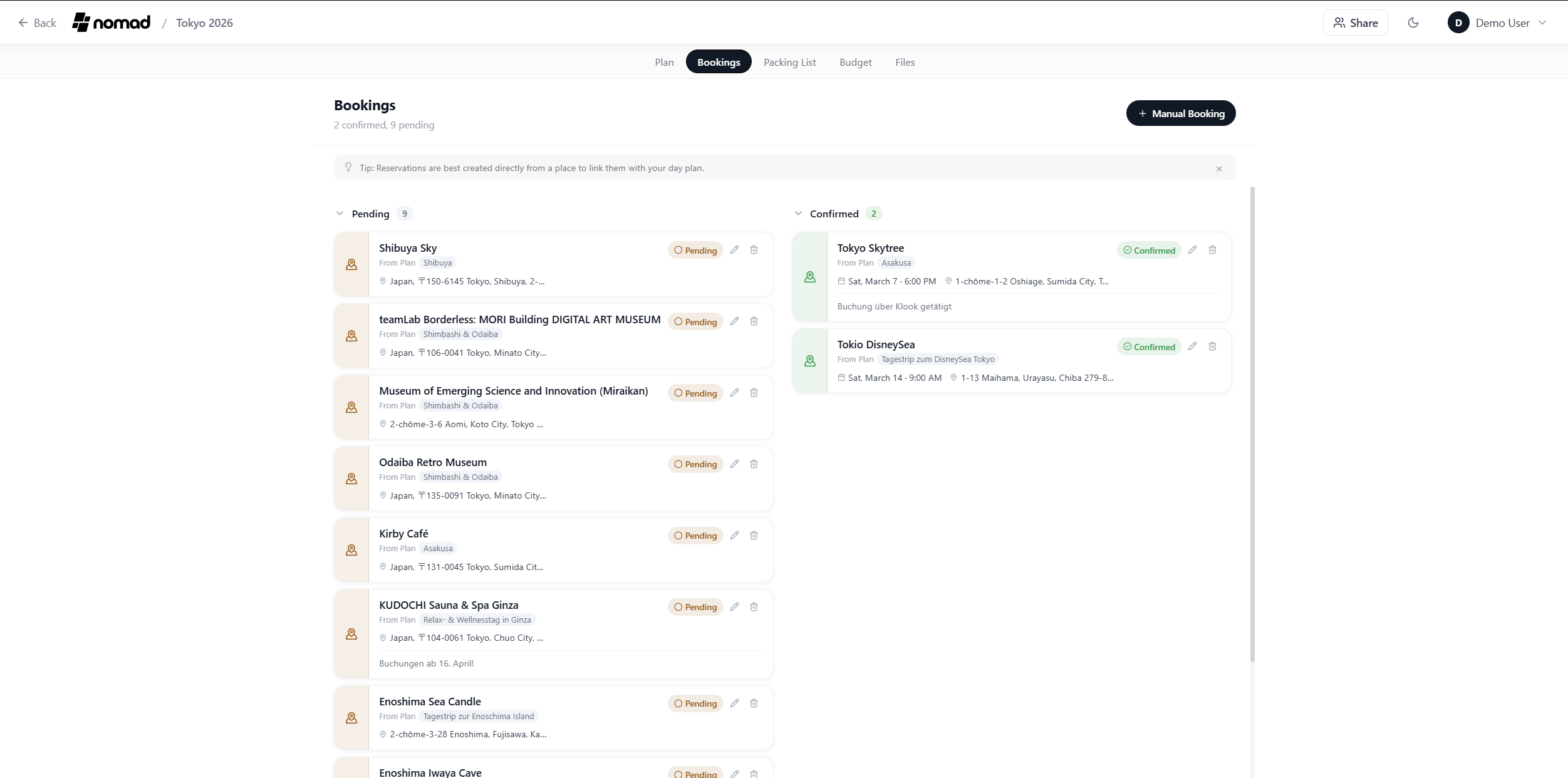
- **Reservations & Bookings** — Track flights, accommodations, restaurants with status, confirmation numbers, and file attachments
- **Budget Tracking** — Category-based expenses with pie chart, per-person/per-day splitting, and multi-currency support
- **Packing Lists** — Category-based checklists with user assignment, packing templates, and progress tracking
- **Packing Templates** — Create reusable packing templates in the admin panel with categories and items, apply to any trip
- **Bag Tracking** — Optional weight tracking and bag assignment for packing items with iOS-style weight distribution (admin-toggleable)
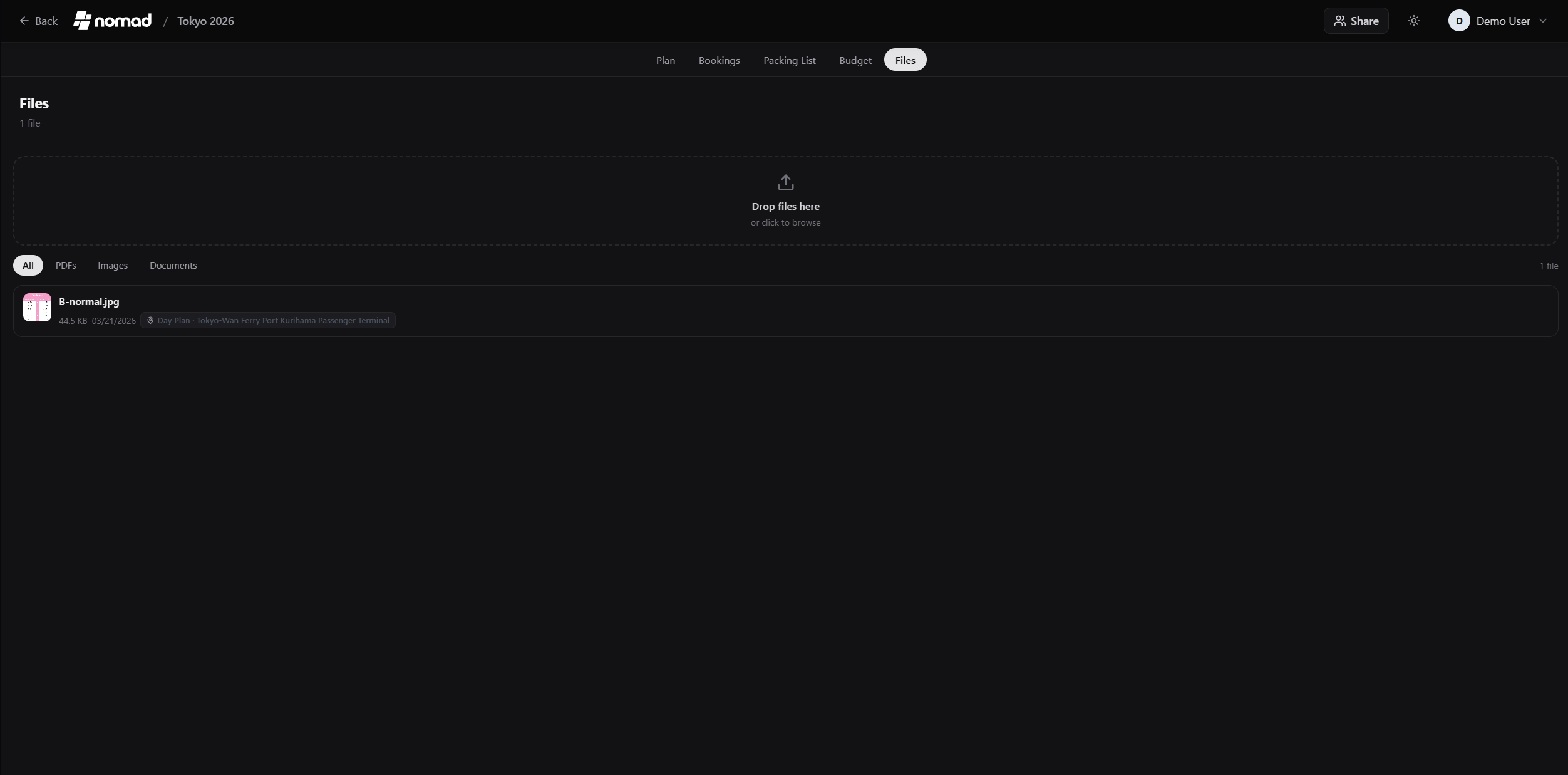
- **Document Manager** — Attach documents, tickets, and PDFs to trips, places, or reservations (up to 50 MB per file)
- **PDF Export** — Export complete trip plans as PDF with cover page, images, notes, and TREK branding
### Mobile & PWA
- **Progressive Web App** — Install on iOS and Android directly from the browser, no App Store needed
- **Offline Support** — Service Worker caches map tiles, API data, uploads, and static assets via Workbox
- **Native App Feel** — Fullscreen standalone mode, custom app icon, themed status bar, and splash screen
- **Touch Optimized** — Responsive design with mobile-specific layouts, touch-friendly controls, and safe area handling
### Collaboration
- **Real-Time Sync** — Plan together via WebSocket — changes appear instantly across all connected users
- **Multi-User** — Invite members to collaborate on shared trips with role-based access
- **Invite Links** — Create one-time registration links with configurable max uses and expiry for easy onboarding
- **Single Sign-On (OIDC)** — Login with Google, Apple, Authentik, Keycloak, or any OIDC provider
- **Two-Factor Authentication (MFA)** — TOTP-based 2FA with QR code setup, works with Google Authenticator, Authy, etc.
- **Collab** — Chat with your group, share notes, create polls, and track who's signed up for each day's activities
### Addons (modular, admin-toggleable)
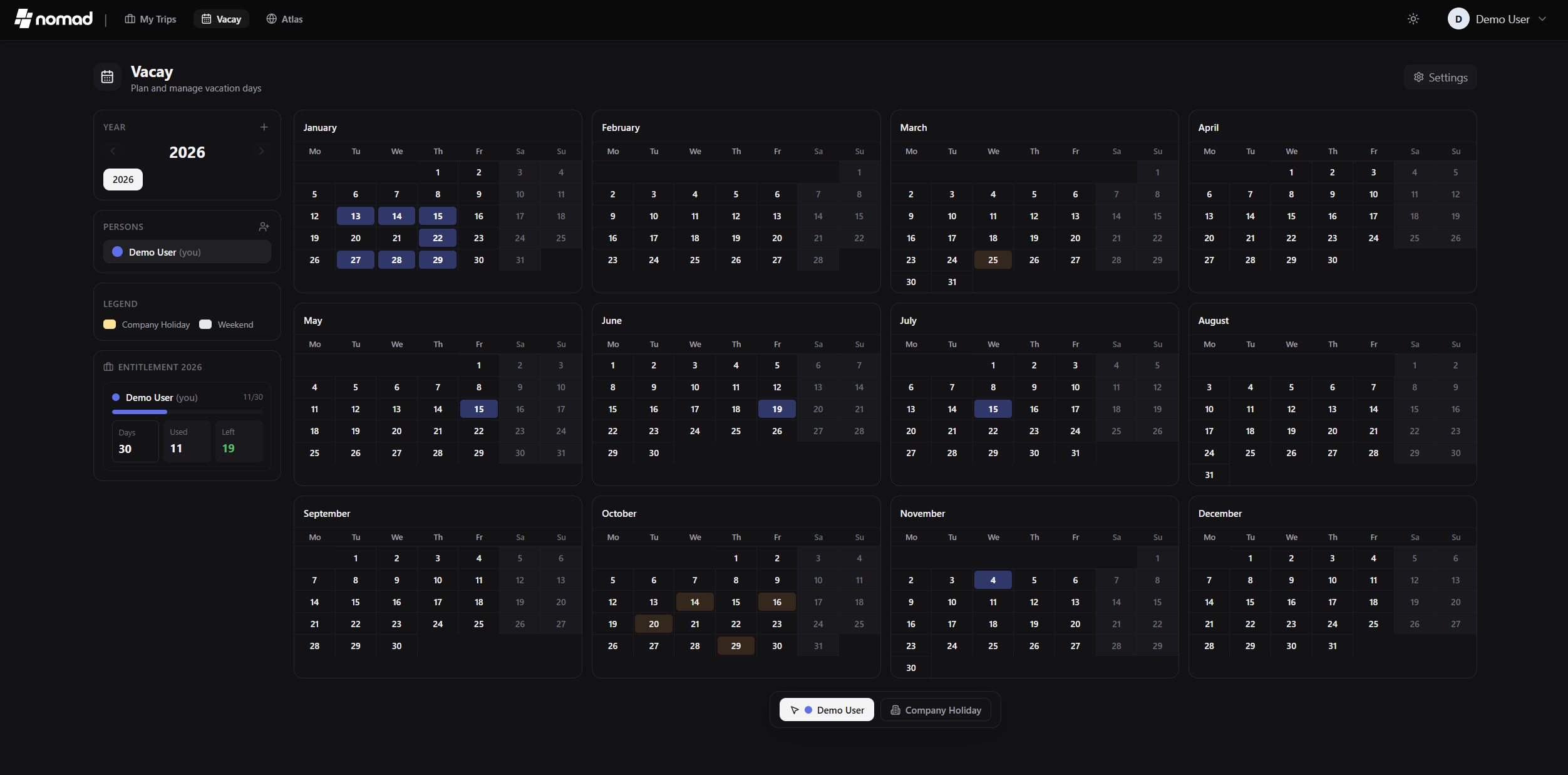
- **Vacay** — Personal vacation day planner with calendar view, public holidays (100+ countries), company holidays, user fusion with live sync, and carry-over tracking
- **Atlas** — Interactive world map with visited countries, bucket list with planned travel dates, travel stats, continent breakdown, streak tracking, and liquid glass UI effects
- **Collab** — Chat with your group, share notes, create polls, and track who's signed up for each day's activities
- **Dashboard Widgets** — Currency converter and timezone clock, toggleable per user
### Customization & Admin
- **Dashboard Views** — Toggle between card grid and compact list view on the My Trips page
- **Dark Mode** — Full light and dark theme with dynamic status bar color matching
- **Multilingual** — English, German, Spanish, French, Russian, Chinese (Simplified), Dutch, Arabic (with RTL support)
- **Admin Panel** — User management, invite links, packing templates, global categories, addon management, API keys, backups, and GitHub release history
- **Auto-Backups** — Scheduled backups with configurable interval and retention
- **Customizable** — Temperature units, time format (12h/24h), map tile sources, default coordinates
## Tech Stack
- **Backend**: Node.js 22 + Express + SQLite (`better-sqlite3`)
- **Frontend**: React 18 + Vite + Tailwind CSS
- **PWA**: vite-plugin-pwa + Workbox
- **Real-Time**: WebSocket (`ws`)
- **State**: Zustand
- **Auth**: JWT + OIDC + TOTP (MFA)
- **Maps**: Leaflet + react-leaflet-cluster + Google Places API (optional)
- **Weather**: Open-Meteo API (free, no key required)
- **Icons**: lucide-react
## Quick Start
```bash
docker run -d -p 3000:3000 -v ./data:/app/data -v ./uploads:/app/uploads mauriceboe/trek
```
The app runs on port `3000`. The first user to register becomes the admin.
### Install as App (PWA)
TREK works as a Progressive Web App — no App Store needed:
1. Open your TREK instance in the browser (HTTPS required)
2. **iOS**: Share button → "Add to Home Screen"
3. **Android**: Menu → "Install app" or "Add to Home Screen"
4. TREK launches fullscreen with its own icon, just like a native app
Docker Compose (recommended for production)
```yaml
services:
app:
image: mauriceboe/trek:latest
container_name: trek
read_only: true
security_opt:
- no-new-privileges:true
cap_drop:
- ALL
cap_add:
- CHOWN
- SETUID
- SETGID
tmpfs:
- /tmp:noexec,nosuid,size=64m
ports:
- "3000:3000"
environment:
- NODE_ENV=production
- PORT=3000
- ENCRYPTION_KEY=${ENCRYPTION_KEY:-} # Auto-generated if not set. If upgrading, set to your old JWT_SECRET value to keep existing encrypted secrets readable.
- ALLOWED_ORIGINS=${ALLOWED_ORIGINS:-} # Comma-separated origins for CORS and email notification links
- TZ=${TZ:-UTC} # Timezone for logs, reminders and scheduled tasks (e.g. Europe/Berlin)
- LOG_LEVEL=${LOG_LEVEL:-info} # info = concise user actions; debug = verbose admin-level details
# - ALLOW_INTERNAL_NETWORK=true # Uncomment if Immich is on your local network (RFC-1918 IPs)
volumes:
- ./data:/app/data
- ./uploads:/app/uploads
restart: unless-stopped
healthcheck:
test: ["CMD", "wget", "-qO-", "http://localhost:3000/api/health"]
interval: 30s
timeout: 10s
retries: 3
start_period: 15s
```
```bash
docker compose up -d
```
### Updating
**Docker Compose** (recommended):
```bash
docker compose pull && docker compose up -d
```
**Docker Run** — use the same volume paths from your original `docker run` command:
```bash
docker pull mauriceboe/trek
docker rm -f trek
docker run -d --name trek -p 3000:3000 -v ./data:/app/data -v ./uploads:/app/uploads --restart unless-stopped mauriceboe/trek
```
> **Tip:** Not sure which paths you used? Run `docker inspect trek --format '{{json .Mounts}}'` before removing the container.
Your data is persisted in the mounted `data` and `uploads` volumes — updates never touch your existing data.
### Reverse Proxy (recommended)
For production, put TREK behind a reverse proxy with HTTPS (e.g. Nginx, Caddy, Traefik).
> **Important:** TREK uses WebSockets for real-time sync. Your reverse proxy must support WebSocket upgrades on the `/ws` path.
Nginx
```nginx
server {
listen 80;
server_name trek.yourdomain.com;
return 301 https://$host$request_uri;
}
server {
listen 443 ssl http2;
server_name trek.yourdomain.com;
ssl_certificate /path/to/fullchain.pem;
ssl_certificate_key /path/to/privkey.pem;
location /ws {
proxy_pass http://localhost:3000;
proxy_http_version 1.1;
proxy_set_header Upgrade $http_upgrade;
proxy_set_header Connection "upgrade";
proxy_set_header Host $host;
proxy_set_header X-Real-IP $remote_addr;
proxy_set_header X-Forwarded-For $proxy_add_x_forwarded_for;
proxy_set_header X-Forwarded-Proto $scheme;
proxy_read_timeout 86400;
}
location / {
proxy_pass http://localhost:3000;
proxy_set_header Host $host;
proxy_set_header X-Real-IP $remote_addr;
proxy_set_header X-Forwarded-For $proxy_add_x_forwarded_for;
proxy_set_header X-Forwarded-Proto $scheme;
}
}
```
Caddy
Caddy handles WebSocket upgrades automatically:
```
trek.yourdomain.com {
reverse_proxy localhost:3000
}
```
## Environment Variables
| Variable | Description | Default |
|----------|-------------|---------|
| **Core** | | |
| `PORT` | Server port | `3000` |
| `NODE_ENV` | Environment (`production` / `development`) | `production` |
| `ENCRYPTION_KEY` | At-rest encryption key for stored secrets (API keys, MFA, SMTP, OIDC); auto-generated and saved to `data/` if not set. **Upgrading:** set to your old `JWT_SECRET` value to keep existing encrypted data readable, then re-save credentials to migrate | Auto-generated |
| `TZ` | Timezone for logs, reminders and cron jobs (e.g. `Europe/Berlin`) | `UTC` |
| `LOG_LEVEL` | `info` = concise user actions, `debug` = verbose details | `info` |
| `ALLOWED_ORIGINS` | Comma-separated origins for CORS and email links | same-origin |
| `FORCE_HTTPS` | Redirect HTTP to HTTPS behind a TLS-terminating proxy | `false` |
| `TRUST_PROXY` | Number of trusted reverse proxies for `X-Forwarded-For` | `1` |
| `ALLOW_INTERNAL_NETWORK` | Allow outbound requests to private/RFC-1918 IP addresses. Set to `true` if Immich or other integrated services are hosted on your local network. Loopback (`127.x`) and link-local/metadata addresses (`169.254.x`) are always blocked regardless of this setting. | `false` |
| **OIDC / SSO** | | |
| `OIDC_ISSUER` | OpenID Connect provider URL | — |
| `OIDC_CLIENT_ID` | OIDC client ID | — |
| `OIDC_CLIENT_SECRET` | OIDC client secret | — |
| `OIDC_DISPLAY_NAME` | Label shown on the SSO login button | `SSO` |
| `OIDC_ONLY` | Disable local password auth entirely (first SSO login becomes admin) | `false` |
| **Other** | | |
| `DEMO_MODE` | Enable demo mode (hourly data resets) | `false` |
## Optional API Keys
API keys are configured in the **Admin Panel** after login. Keys set by the admin are automatically shared with all users — no per-user configuration needed.
### Google Maps (Place Search & Photos)
1. Go to [Google Cloud Console](https://console.cloud.google.com/)
2. Create a project and enable the **Places API (New)**
3. Create an API key under Credentials
4. In TREK: Admin Panel → Settings → Google Maps
## Building from Source
```bash
git clone https://github.com/mauriceboe/TREK.git
cd TREK
docker build -t trek .
```
## Data & Backups
- **Database**: SQLite, stored in `./data/travel.db`
- **Uploads**: Stored in `./uploads/`
- **Logs**: `./data/logs/trek.log` (auto-rotated)
- **Backups**: Create and restore via Admin Panel
- **Auto-Backups**: Configurable schedule and retention in Admin Panel
## License
[AGPL-3.0](LICENSE)




